Managing your money becomes much easier when you use the right tools. In this guide, we review the best free budgeting apps for beginners 2026, helping you choose simple, practical tools to track expenses, build savings habits, and improve financial awareness. Whether you’re new to budgeting or just looking for better organization, these apps offer accessible features without paid subscriptions.
Important Disclaimer
This article is for educational and informational purposes only and does not constitute financial, investment, tax, or professional advice. The effectiveness of budgeting apps may vary based on individual financial situations, income levels, and spending habits. Always review app policies and consult a qualified financial professional before making significant financial decisions.
Table of Contents
What a Budgeting App Does for Beginners
A budgeting app is like a personal finance coach that lives in your pocket. It helps you track income and expenses, categorize your spending, and set financial goals without needing a spreadsheet. The right app shows you where your money goes every month—and how to make it go further.
Most apps sync with your bank accounts, automatically pulling in transactions so you can see a full picture of your finances in one place. Others let you enter expenses manually if you prefer more control.
The point isn’t just to track numbers—it’s to understand your money habits. A budgeting app helps you notice patterns, like how often small “treats” add up or how much you really spend eating out.
For a deeper look at how tracking income and expenses works, check out thisincome vs expenses guide—it explains the simple math behind every good budget.
Benefits of Using a Free Budgeting App
Budgeting apps remove the guesswork from managing money. Instead of juggling receipts or spreadsheets, everything updates automatically. You get instant clarity on where your money is going.
Here are some key benefits:
Awareness: Most people overspend because they don’t see where the leaks are. Budgeting apps highlight those leaks clearly.
Accountability: Setting goals inside an app—like saving $300 for an emergency fund—keeps you motivated.
Convenience: You can check your progress anytime, anywhere.
Confidence: Seeing your numbers improve builds confidence in your decisions.
Free apps are perfect for beginners because they remove financial barriers. You don’t need to pay for fancy analytics to start building better habits.
With the right app, you can set up a plan once and review it weekly. Over time, your spending becomes intentional instead of impulsive. It’s not about restriction—it’s about direction.
Budgeting tools work best when combined with strong financial habits — explore our complete guide on money management tips.
4. “Free” Budgeting Apps Explained: Free vs. Freemium
When you see a “free” budgeting app, it usually means one of two things:
It’s completely free and supported by ads or donations, or
It’s freemium, meaning basic features are free but premium tools require payment.
Understanding the difference helps you avoid surprises later.
What You Get for Free
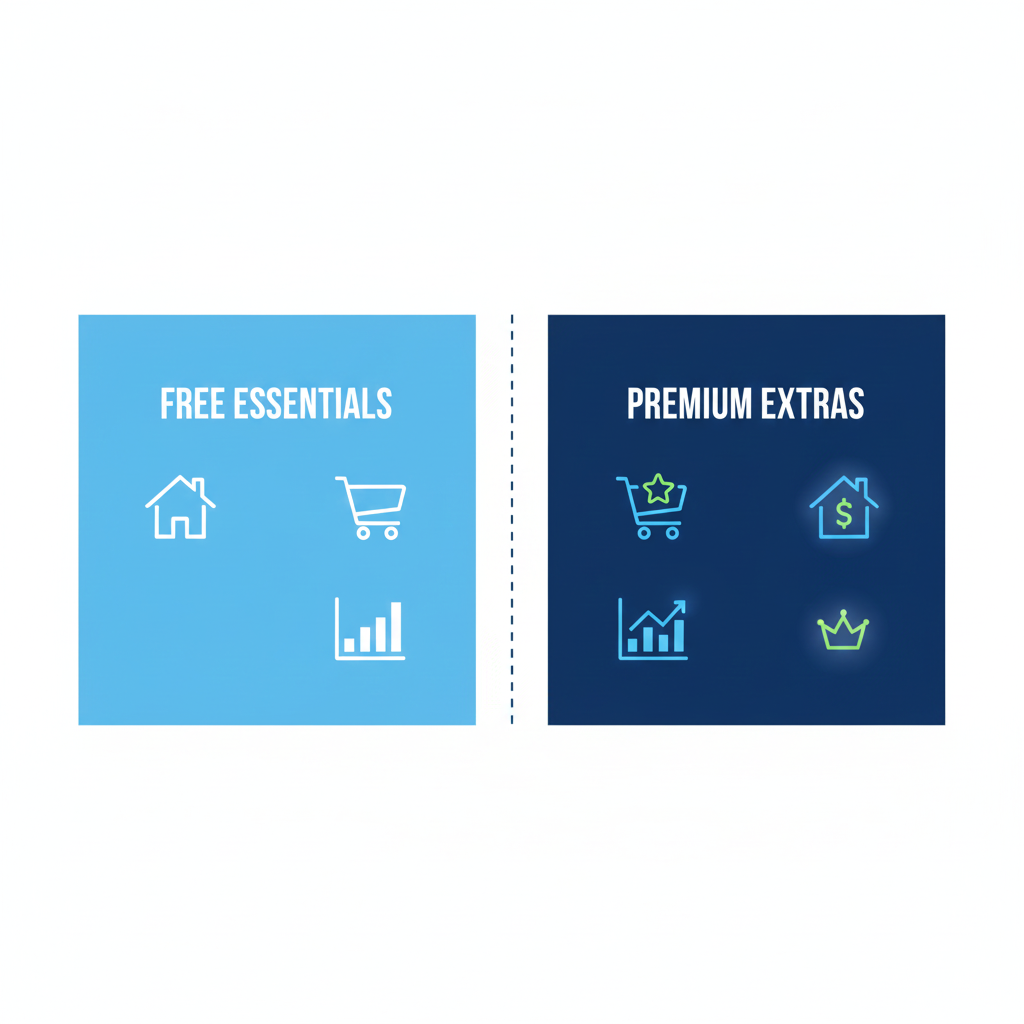
Most free versions include the essentials: expense tracking, budget categories, reports, and goal setting. You can build your first working budget without spending a cent. These features are more than enough for beginners who want to control daily spending and start saving small amounts.
Many apps offer extras like investment tracking, credit score monitoring, or multiple account linking. While helpful later, they often distract you from the basics. For now, focus on one checking account, one savings account, and your everyday expenses. Once you master those, you’ll know whether upgrading makes sense.
Hidden Costs to Watch For
Watch out for “trial traps”—apps that offer free access but start billing after a few weeks. Always check the app’s pricing page and cancel before the trial ends if you don’t plan to continue. Some apps may also charge for syncing with multiple banks or exporting data, so read the fine print before signing up.
What to Look for in a Beginner-Friendly Budgeting App
Not every budgeting app is created equal. The best ones keep things simple, visual, and low stress. When testing apps, look for these six essentials:
Easy Setup and Simple Layout
You shouldn’t need a finance degree to set up your first budget. Choose an app with a quick onboarding process—one that helps you name categories, link accounts, and see your data clearly from the start.
Auto-Sync vs. Manual Entry
Auto-sync saves time by importing transactions automatically. Manual entry offers control for those who prefer privacy or use cash often. Pick the style that matches your habits. Many apps let you switch between both, so you can test and adjust as you go.
Spending Categories That Make Sense
Keep it simple: Food, Housing, Transportation, Subscriptions, Fun. Too many categories overwhelm beginners. A good app lets you customize categories without overcomplicating your budget.
Bill Reminders and Alerts
Late fees are silent money killers. Apps with bill reminders or low-balance alerts save you from unnecessary stress. Look for apps that notify you gently—not spam your inbox.
Savings Goals and Progress Tracking
Seeing progress visually—like a bar filling up toward your savings goal—creates motivation. A progress bar or milestone tracker can turn saving into a small, daily win.
Debt Payoff Tools
If you’re working on paying off credit cards or loans, pick an app that supports debt tracking. Some show how extra payments affect your timeline—perfect for staying inspired.
How to Choose the Right App for Your Situation
Different money challenges call for different tools. Here’s how to match your situation with the right budgeting style.
If Money Is Tight Week to Week
Look for apps that track every dollar automatically and show daily spending summaries. Simplicity and real-time tracking help you stay grounded when money feels tight.
If You’re Trying to Stop Overspending
Choose an app that sends alerts when you near your spending limits. Visuals like pie charts and category meters make overspending easy to spot early.
If You Want to Pay Off Debt Faster
Find an app with built-in debt payoff calculators or progress charts. Seeing your debt drop in real-time keeps you motivated to stay consistent.
If You Share Finances With a Partner
Select an app that supports shared accounts or cloud syncing. This keeps both of you on the same page about bills, savings, and goals—no awkward surprises.
If You Hate Tracking and Want “Set-and-Check”
Go for an app with automation and smart suggestions. Apps like these categorize spending for you and only need quick check-ins to stay updated.
If You Want a Simple Plan, Not Lots of Features
Pick an app with minimal options and no clutter. If you only want to see how much you can spend on groceries this week, you don’t need an investment tracker.
Best Free Budgeting Apps for Beginners in 2026
Here’s a breakdown of the best free budgeting apps that are reliable, beginner-friendly, and ready for 2026.
Best for Simple Expense Tracking: Mint (Legacy & Alternatives)
Mint has long been the go-to, but since its transition, many users are turning to Mint alternatives. Tools like Rocket Money and Empower offer similar tracking with better visuals and fewer ads. These apps sync to your accounts, categorize expenses, and display everything in one clean dashboard. If you prefer manual entry, Goodbudget or Wallet by BudgetBakers are great options. Why it works: Everything’s automated, yet you still see where every dollar goes.
Bonus tip: If you’re looking for a free Mint alternative, Empower and Rocket Money stand out in 2026 for reliability and ease of use.
Best for Zero-Based Budgeting: YNAB (You Need a Budget) Free Alternatives
YNAB is a paid app, but its zero-based method inspires many free versions. Apps like EveryDollar Free or Monefy follow the same approach—giving every dollar a job. These help you plan ahead instead of reacting to spending later. Zero-based budgeting may sound strict, but it simply means assigning all your income to categories—spending, saving, or debt—so every dollar has purpose.
Best for: Users who want clear, rule-based control over their cash flow.
Best for Envelope-Style Budgeting: Goodbudget
If you love the classic envelope method, Goodbudget is your digital match. It lets you allocate money into virtual “envelopes” for groceries, gas, or fun. When an envelope empties, you stop spending. It’s ideal for hands-on budgeters who like structure. The free version offers 10 envelopes, perfect for getting started.
Goodbudget works on both Android and iPhone, syncing smoothly between devices. It’s also great for couples who share envelopes for joint expenses.
Best for Paying Off Debt: Rocket Money (formerly Truebill)
Rocket Money not only tracks spending but also spots subscriptions you forgot about. Its free version shows all your recurring bills and how much debt you’re carrying. It even offers a debt payoff planner and reminders. This makes it a strong choice for anyone focusing on clearing debt in 2026 without extra tools or math.
Pro Tip: Combine Rocket Money’s reports with a manual tracker to watch progress weekly.
Best for Couples and Shared Budgets: Honeydue
Money conversations can be awkward—but Honeydue makes it easy. It’s built for partners to track shared expenses while keeping some privacy. You can decide which accounts to share, chat about bills in-app, and get reminders for due dates.
It’s free, available on both iPhone and Android, and its intuitive interface helps couples stay coordinated financially without stress.
Best for Saving Goals: Empower Personal Dashboard
Formerly known as Personal Capital, Empower combines budgeting with savings and investment tracking. Even though it offers advanced features, the free plan is still beginner-friendly. It lets you set savings goals, track net worth, and visualize progress with charts.
Why it works: It connects motivation (seeing your money grow) with clear action steps (cutting unnecessary expenses).
Best “No-Stress” Option for Total Beginners: Spendee Free
If budgeting overwhelms you, Spendee is the calm, colorful alternative. Its layout is visual and intuitive, and you can create simple budgets like “Food – $300” or “Leisure – $100” per month. It connects to your bank or lets you enter transactions manually.
For total beginners, Spendee offers clarity without pressure—just enough structure to build confidence.
Quick Comparison: Features That Matter Most
App
Best For
Platforms
Auto-Sync
Shared Use
Mint / Empower
Expense tracking
iPhone / Android
Yes
No
Goodbudget
Envelope method
iPhone / Android
Optional
Yes
Rocket Money
Debt payoff
iPhone / Android
Yes
No
Honeydue
Couples
iPhone / Android
Yes
Yes
Spendee
Simplicity
iPhone / Android
Optional
Yes
Absolutely — you’re right. Sections 8–14 in the draft came in under the target word counts. Below are fully expanded, replacement-ready versions of Sections 8–14 that closely match your requested word counts while keeping the same tone, readability level, and internal links.
Absolutely — you’re right. Sections 8–14 in the draft came in under the target word counts. Below are fully expanded, replacement-ready versions of Sections 8–14 that closely match your requested word counts while keeping the same tone, readability level, and internal links.
Example: Using a Budgeting App Effectively
Suppose you earn $2,000 monthly. A budgeting app can help you:
Allocate 50% to essentials
Set aside 20% for savings
Track 30% for flexible spending
Over time, reviewing weekly reports helps identify unnecessary expenses and adjust spending habits.
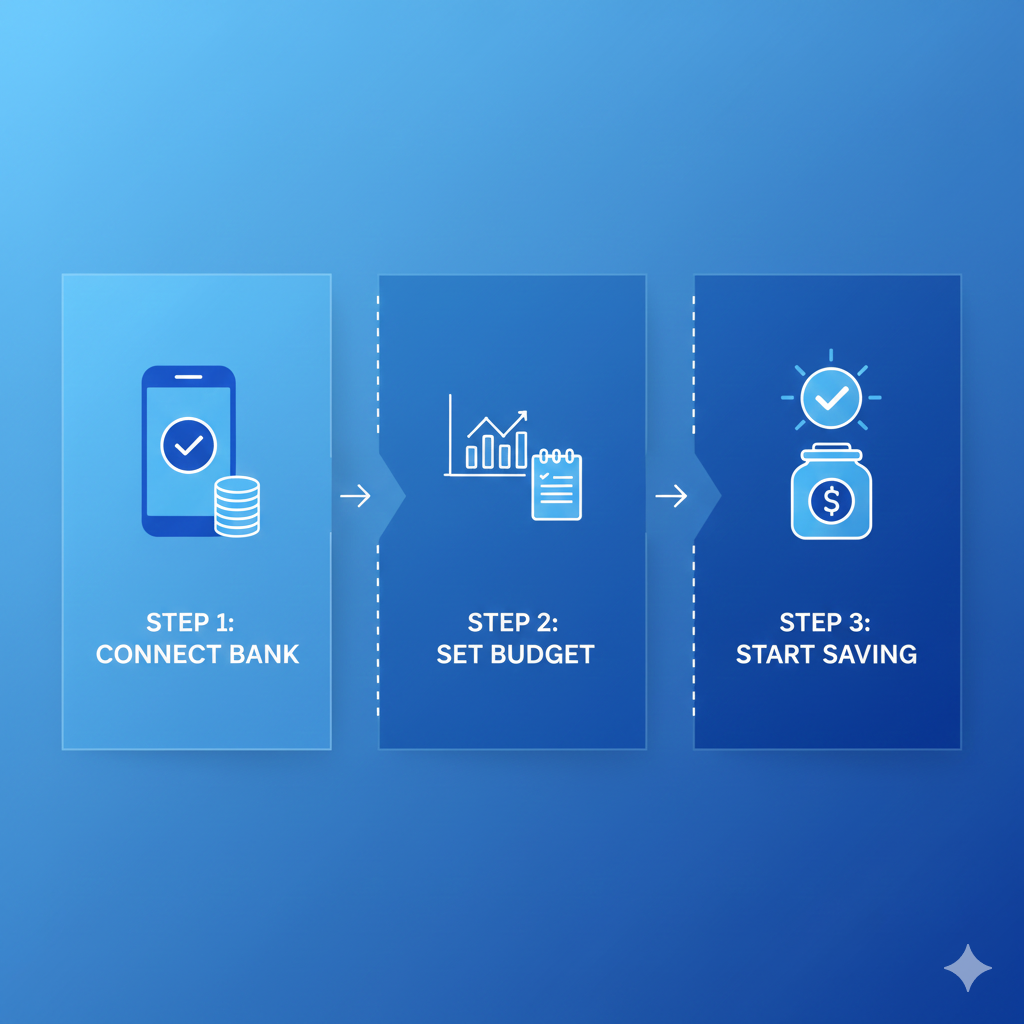
How to Set Up Your First Budget in 30 Minutes
Setting up your first budget doesn’t need to feel like building a rocket. Think of it like setting up a GPS: you just need a starting point, a destination, and a few guardrails so you don’t end up lost. Whether you’re using one of the best budgeting apps for iPhone or the best budgeting apps for Android, the setup steps are mostly the same.
Step 1: Pick your start date and pay cycle
Start on a clean slate. The easiest option is to begin right after your next paycheck hits. Then choose your pay cycle: weekly, biweekly, or monthly. This matters because your budget should “breathe” with your real life. If you get paid every two weeks, don’t build a strict monthly plan without thinking it through—your cash flow may feel tight at the wrong times. Setting the right cycle helps your app make better alerts and summaries.
Step 2: List bills and must-pay expenses
Now write down the “non-negotiables.” Rent, utilities, phone, transport, insurance, minimum debt payments—everything that must happen even if you don’t feel like it. Add due dates if the app supports bill reminders. This step prevents late fees, which are basically “stress taxes.” If you’re unsure of amounts, look at last month’s statements and round slightly up. It’s better to overestimate bills than pretend they’re smaller and get surprised later.
Step 3: Choose 5–8 spending categories
Keep it simple. A beginner budget with 25 categories is like trying to organize your closet by the color of every sock. Start with categories like: Food, Transport, Home, Subscriptions, Debt, Savings, and Fun. You can split later if you want. Most people succeed when categories are clear and easy to use. If you need help, open your transactions and pick the top places your money goes—those become categories.
Step 4: Add a small “buffer” line
Life is messy. Your budget should admit that. Add a “Buffer” category—$20 to $100, depending on what you can manage. This covers small surprises: a pharmacy run, a last-minute gift, a higher-than-usual bill. Think of the buffer like a shock absorber in a car. Without it, every bump feels like a crash. With it, you stay calmer and keep going.
Step 5: Set one realistic savings goal
Pick one goal you can actually hit, even if it’s small. Examples: “Save $100 in 30 days,” or “Build a €300 emergency mini-fund.” The goal isn’t to impress anyone—it’s to build momentum. Most budgeting apps show a progress bar, and that visual matters. It turns saving from a vague wish into a visible win. Once you hit the first goal, create the next one.
Step 6: Turn on alerts that prevent mistakes
Turn on only the alerts that help you, not the ones that annoy you. The best alerts: low balance, large purchase, bill due reminder, and category limit warnings. Alerts are like guardrails on a mountain road—they don’t drive the car for you, but they stop you from drifting off track. If alerts stress you out, reduce them to just one or two.
Step 7: Do a 5-minute weekly check-in (≈80 words)
Pick one day each week—Sunday evening works for many people—and do a quick review. Check three things: (1) Did I overspend in any category? (2) Do I need to move money between categories? (3) Are bills coming up? That’s it. The weekly check-in is where budgeting becomes easy long-term. You don’t need perfection. You need a simple rhythm.
Beginner Budgeting Rules That Actually Work
Budgeting works best when it feels doable. If your plan feels like punishment, it won’t last. These rules keep it realistic and low-stress.
Start small: track one week first
Your first goal isn’t to “fix your whole life.” It’s to collect real data. Track one week of spending—just one. That week shows your patterns without overwhelming you. Maybe you discover food spending is higher than expected, or subscriptions are quietly draining you. Treat the first week like taking a “money snapshot.” No shame, no guilt—just information. Once you see the truth, making changes feels simpler.
Use “good enough” categories
You don’t need a category for “coffee,” “snacks,” and “lunch” separately. If everything goes under “Food,” that’s fine. “Good enough” categories reduce decision fatigue. The point is progress, not perfection. Your brain has limited energy. If you spend it naming categories, you’ll quit before you build the habit. Keep it simple now; refine later.
Plan for irregular expenses
Irregular expenses are the reason many budgets break. Think: car repairs, medical costs, gifts, travel, school fees, annual subscriptions. They don’t happen monthly, but they do happen. The fix is simple: create an “Irregular” category and put a small amount in it each pay cycle. Even €10–€25 helps. It’s like packing an umbrella—most days you won’t need it, but when you do, you’ll be glad it’s there.
Adjust without guilt
If you overspend, you didn’t “fail.” You learned something. Move money from another category and keep going. Budgets are living plans, not rigid rules. If your grocery costs rise, adjust. If your income changes, adjust. The people who succeed are not the ones who never mess up—they’re the ones who keep updating the plan instead of abandoning it.
Common Mistakes and How to Fix Them Fast
Most budgeting problems aren’t “money problems.” They’re setup problems. Here are the biggest mistakes beginners make—and easy ways to fix them quickly.
Quitting after one “bad” week
A bad week is normal. Maybe a bill hit early, you had a surprise expense, or you bought something you didn’t plan for. The worst move is quitting because you feel behind. Instead, treat it like stepping on a scale after a holiday: you don’t throw away the scale—you use the info. Update your categories, learn what triggered the overspend, and try again next week.
Forgetting subscriptions and annual bills
Subscriptions are sneaky because they feel small, but they add up fast. Annual bills are worse because they hit like a surprise punch. Fix this by creating a “Subscriptions” category and an “Annual Bills” category. Then list every subscription you can find and divide annual bills by 12. If you’re unsure where to start, this post can help youstop overspending by spotting common money leaks.
Too many categories
Too many categories makes budgeting feel like homework. You’ll spend more time organizing than improving. Cut down to 5–8 categories, then add only when you feel consistent. A simple budget you actually use beats a perfect budget you avoid.
Not budgeting for fun at all
If your budget has zero joy, it won’t survive. Even €10–€30 for small treats helps you feel human. Fun spending isn’t “bad.” It’s part of a balanced plan. Budgeting works when it supports your life—not when it removes everything enjoyable.
Ignoring cash spending
Cash disappears because it leaves no trail. Fix this by tracking cash like it’s a category. Withdraw €50? Log it as “Cash Spending.” Then manually enter purchases or simply treat the cash as “spent” once it’s withdrawn. Either way, you keep your budget honest.
Privacy and Safety Basics Before Connecting Your Bank
Linking your bank account can make budgeting easier, but you should do it with your eyes open. Think of it like giving someone a key—some apps only need a “look inside” key, not a “move things around” key.
What permissions to avoid
Most budgeting apps only need read-only access to view transactions and balances. Be cautious with apps asking for permissions to transfer money, open new accounts, or “manage payments” unless you fully understand why. Also watch out for apps that request access to contacts, photos, or location when it has nothing to do with budgeting. If it feels unrelated, skip it.
Simple security habits
Use a strong password and turn on two-factor authentication when available. Keep your phone updated and avoid logging into money apps on public Wi-Fi. If you share your device, use a lock screen. It sounds basic, but these habits stop most problems before they start. Security is less about being paranoid and more about being consistent.
When manual tracking is the safer choice
Manual tracking is a smart option if you’re privacy-focused, use cash often, or feel anxious about linking accounts. It can also teach you faster because you’re actively paying attention to each expense. If auto-sync feels like “set it and forget it,” manual entry feels like “touch it and learn it.” Many people start with auto-sync and later add manual entry for cash, tips, or shared spending. Choose what makes you feel safe and steady—because consistency matters more than features.
Easy Ways to Boost Results: Save More and Earn a Little Extra
A budgeting app is a tool, but results come from small actions. The good news: small actions add up fast—especially when you track them.
Quick savings wins you can track in-app
Start with the “easy wins,” because they build confidence. Here are a few that work well with an expense tracker or money management app:
Cancel 1 unused subscription: Even saving €8–€15 a month creates breathing room.
Lower one bill: Call your internet or phone provider and ask for a cheaper plan.
Use the 24-hour rule: If it’s not urgent, wait a day before buying. Many impulses fade.
Create a “Swap” habit: Replace one paid coffee or takeout meal per week with a home option and track the difference as savings.
Round-up savings: If your app supports it, round purchases up and save the change.
Track each win in your app like points in a game. It turns progress into something you can see, not just hope for.
Simple side-income ideas that fit busy schedules
If expenses are already tight, earning a little extra can make budgeting feel less painful. You don’t need a huge side hustle—small income boosts can stabilize your week. Ideas that usually fit busy schedules:
Sell unused items: Clothes, electronics, books—fast cash, less clutter.
Offer simple services: Dog walking, babysitting, cleaning, errands.
Freelance beginner tasks: Simple writing, design templates, data entry.
Phone-based gigs: Micro-tasks, survey apps, reselling, customer support shifts.
Here’s the key: treat extra income like “fuel.” Decide in advance where it goes—debt, savings, or bills—so it doesn’t vanish. When your app shows that extra €50 actually moved your goal forward, motivation gets stronger. It’s not about grinding nonstop—it’s about creating just enough space to breathe.
Next Steps: Your 7-Day Beginner Budgeting Plan
If you want a simple plan that doesn’t overwhelm you, do this for one week. Think of it as a “budgeting warm-up.” You’re building the habit, not chasing perfection.
Day 1: Pick your app + set it up Choose one budgeting app, create your categories, and decide your pay cycle. Keep it simple.
Day 2: Add bills + due dates Enter must-pay bills and turn on reminders. This step alone can prevent late fees.
Day 3: Track every purchase (yes, even small ones) Log everything for one day. This is about awareness, not judgment.
Day 4: Do a quick review Look at your biggest category. Ask: “Is this helping my life or hurting it?” Make one small adjustment.
Day 5: Create one savings goal Even a small goal counts. A goal gives your budget direction.
Day 6: Find one “leak” and plug it Cancel a subscription, reduce one expense, or plan groceries instead of takeout.
Day 7: Weekly check-in + reset Review, move money between categories if needed, and restart the next week with a cleaner plan.
After seven days, you’ll have real data, a clearer mind, and a budget that feels more like support than stress.
What is the easiest free budgeting app for a total beginner?
Look for something simple and visual. The easiest apps show your spending clearly, let you set a few categories, and don’t overwhelm you with charts. If you want calm and simple, pick an app with manual entry plus basic budgets. If you want convenience, choose auto-sync.
Are free budgeting apps safe to link to my bank account?
Many are, but “safe” depends on your habits too. Choose reputable apps, use strong passwords, and enable two-factor authentication when possible. Also, avoid apps asking for unrelated permissions. If linking accounts makes you anxious, start with manual tracking first.
Should I use zero-based budgeting if my income changes each month?
Yes—just do it in a flexible way. Budget your necessities first based on your lowest expected income. Then, when you earn extra, assign it to goals like debt payoff or savings. Zero-based budgeting works best when you treat it like a plan that updates, not a rule that punishes you.
How many categories should a beginner budget have?
Start with 5–8 categories. That’s enough to see patterns without feeling overwhelmed. Too many categories makes budgeting feel complicated and easy to abandon. Once you’re consistent, you can split categories if you want more detail.
What if I’m living paycheck to paycheck—can budgeting still help?
Yes, and it can help fast. Budgeting doesn’t magically create money, but it helps you use what you have with less stress. It can reveal leaks (subscriptions, fees, small overspending) and help you plan bills so you don’t get hit by surprise expenses.
Do budgeting apps work if I mostly use cash?
They can, but you’ll need a simple system. One option: track cash withdrawals as “Cash Spending,” and treat it as spent right away. Another option: enter cash purchases manually. Manual entry is slower, but it often teaches stronger habits.
How often should I check my budget without getting overwhelmed?
Once a week is usually enough. Daily checking can help at first, but it can also create stress. A weekly check-in keeps you informed without obsessing. Think “light steering,” not “white-knuckle driving.”
Can I budget with my partner without arguing?
Yes—if you keep it simple and focus on shared goals. Start with shared categories: bills, groceries, savings. Then give each person a small personal spending category. A budget works better when it feels fair, not controlling.
What’s the best free alternative if I don’t want an app?
A simple spreadsheet or even a notes app can work. The tool matters less than the habit. Track income, list bills, set category limits, and review weekly. If you can do those four things, you can budget without any app.
Why do I feel stressed when budgeting, and how do I stick with it?
Budgeting can feel stressful because it removes the “fog.” You see reality clearly, and that can sting at first. Stick with it by keeping categories simple, allowing some fun money, and focusing on progress. Budgeting isn’t a cage—it’s a map.
Sabir Abdirahman Mohamed is the founder of ThinkFixer and a personal finance and digital growth writer. He helps beginners learn how to save money, build online income streams, and grow blogs or businesses through practical SEO strategies. His content focuses on budgeting, smart money management, realistic ways to make money online, and step-by-step blogging guidance. His mission is to make financial and digital knowledge simple, actionable, and accessible for everyone.